# Model Dashboard
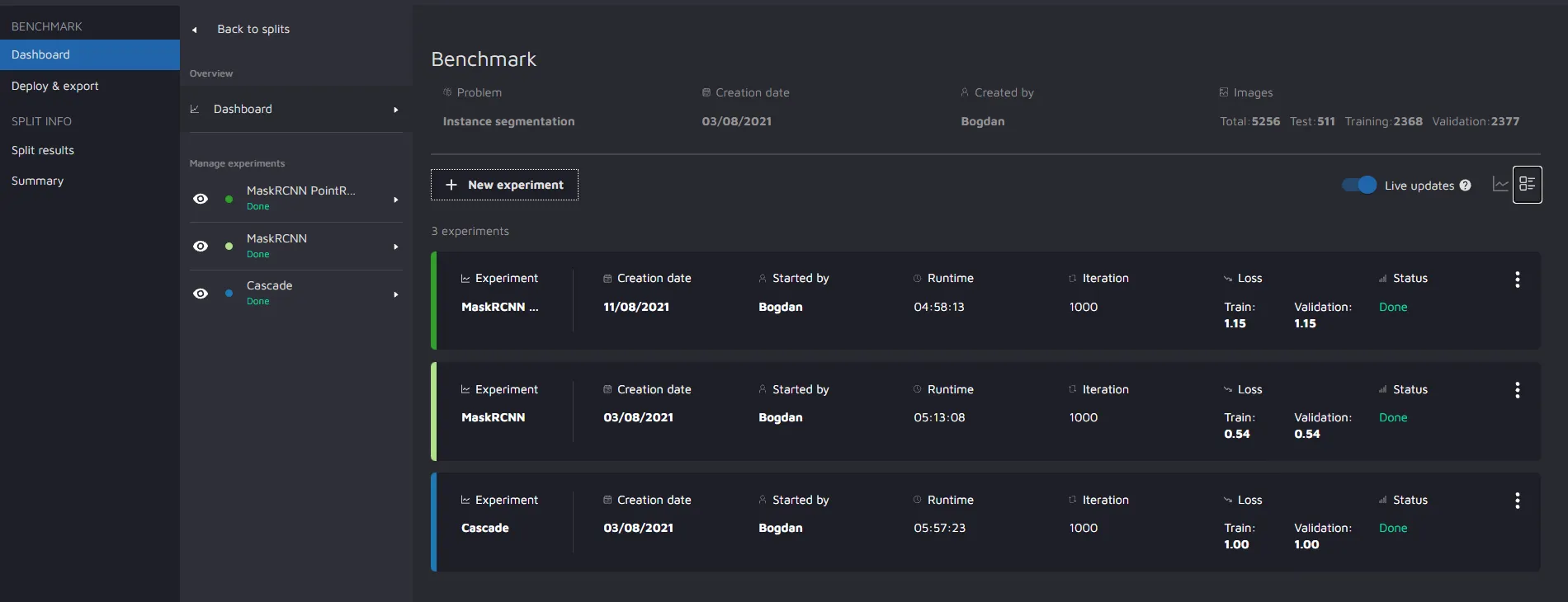
***Model dashboard user interface overview***
Dashboard overview in detail format
### Dashboard Information:
* Split name
* Experiment name
* Number of iterations
* Runtime
* Best Loss (Train & Validation)
* Problem - This is the type of model you want to use for the model building phase. It includes: Attribute prediction, Label class prediction, Object detection, Image tag prediction, Instance segmentation, Semantic segmentation.
* Creation date
* Created by - This helps to track which user is experimenting with a particular model.
* Images - This value gives an idea of the number of images (Total, Train, Test, Validation) that were used for a particular set of experiments/model types.
* Experiments - Total number of experiments a user has carried out for a model type.
* Under Manage Experiments, you can check the number of experiments tested by the user using a particular model type.
* Experiment status
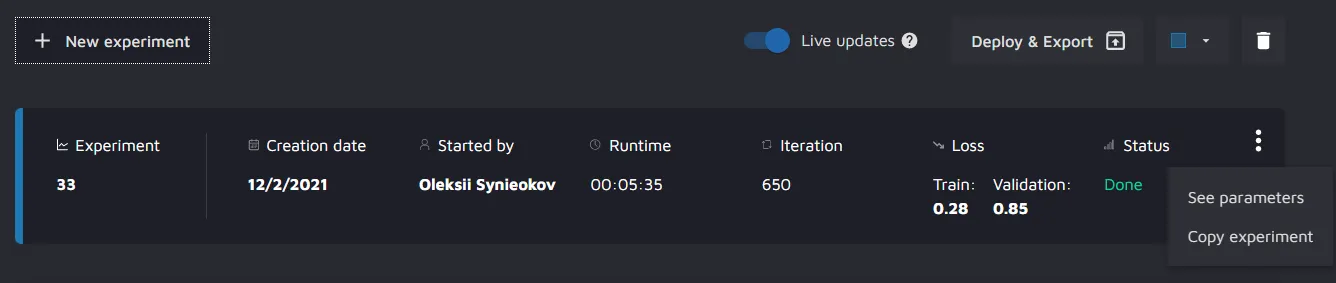
### Actions that can be performed after creating an experiment
Experiment options
* **Deploy and export** - This will link the user to the Deploy and export page of Model Playground
* **See parameters** - This will take the user inside the experiment section where the user can review the parameters used. (*Read-only*)
* **Change color** - Allows users to change colors used in different widgets for a particular experiment.
* **Copy Experiment** - Allows users to make a new experiment with all the same parameters from the experiment from which it is copied. Then, the user has the freedom to change some indivdual parameters in the new experiment.
* **Delete experiment**
---
# Agent Instructions: Querying This Documentation
If you need additional information that is not directly available in this page, you can query the documentation dynamically by asking a question.
Perform an HTTP GET request on the current page URL with the `ask` query parameter:
```
GET https://docs.cloudfactory.com/model-playground/model-dashboard.md?ask=
```
The question should be specific, self-contained, and written in natural language.
The response will contain a direct answer to the question and relevant excerpts and sources from the documentation.
Use this mechanism when the answer is not explicitly present in the current page, you need clarification or additional context, or you want to retrieve related documentation sections.