# Import annotations (Beta)
With this feature, you can import existing annotations to your Hasty project.
To import existing annotations:
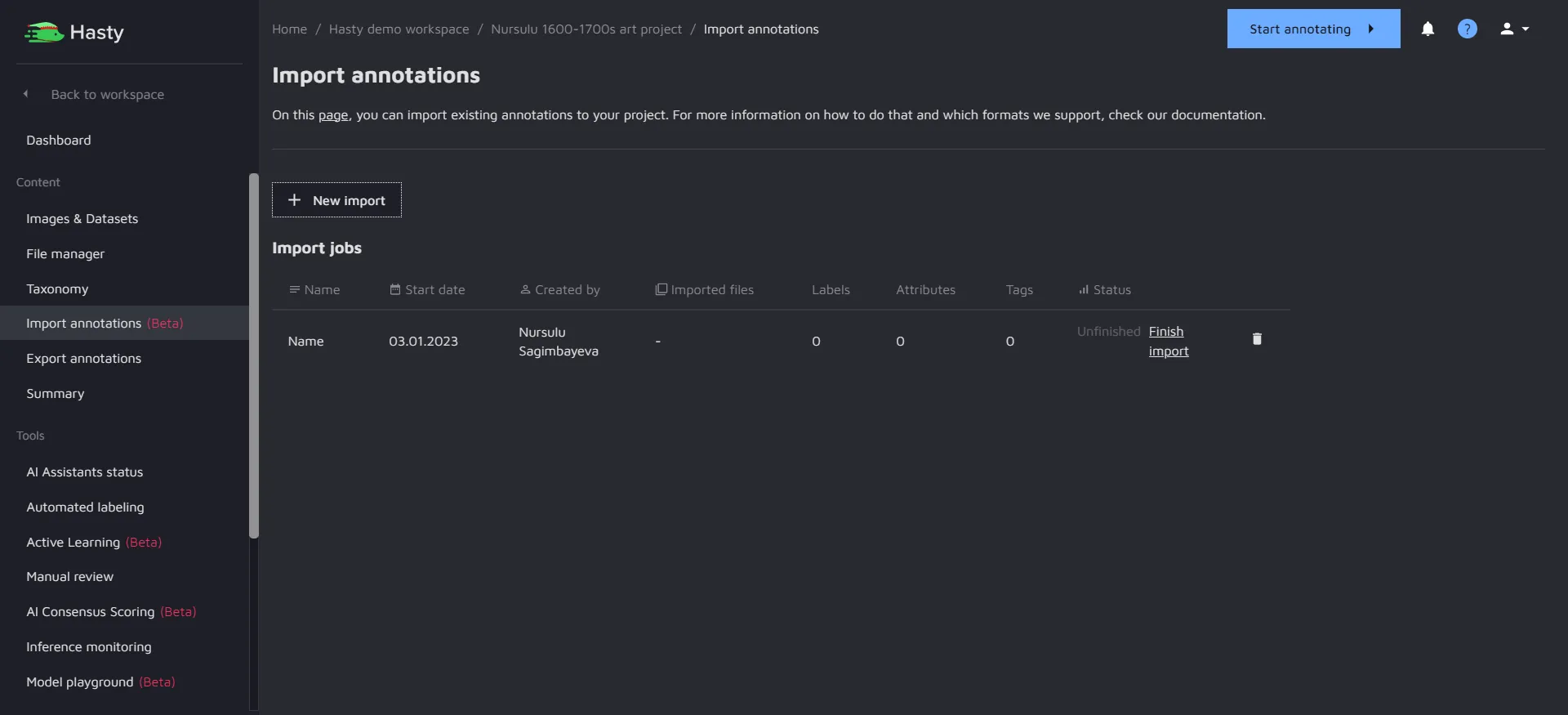
1\. Click on **Import Annotations (Beta)** in the present in the project dashboard.
2\. Click on **New import**. You will see the following page:
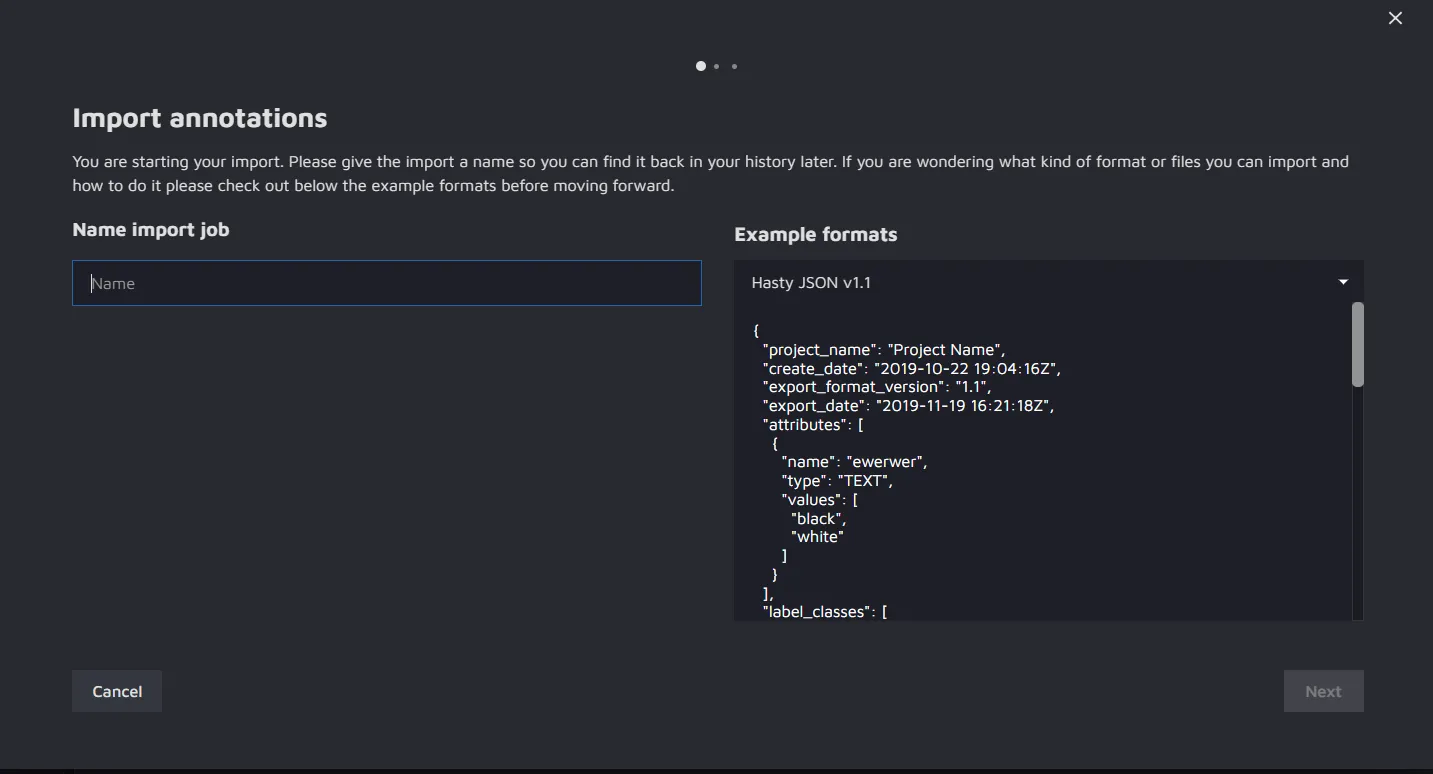
From here, you can import annotations in the following formats:
* Hasty JSON v1.1;
* Semantic Segmentation (png).
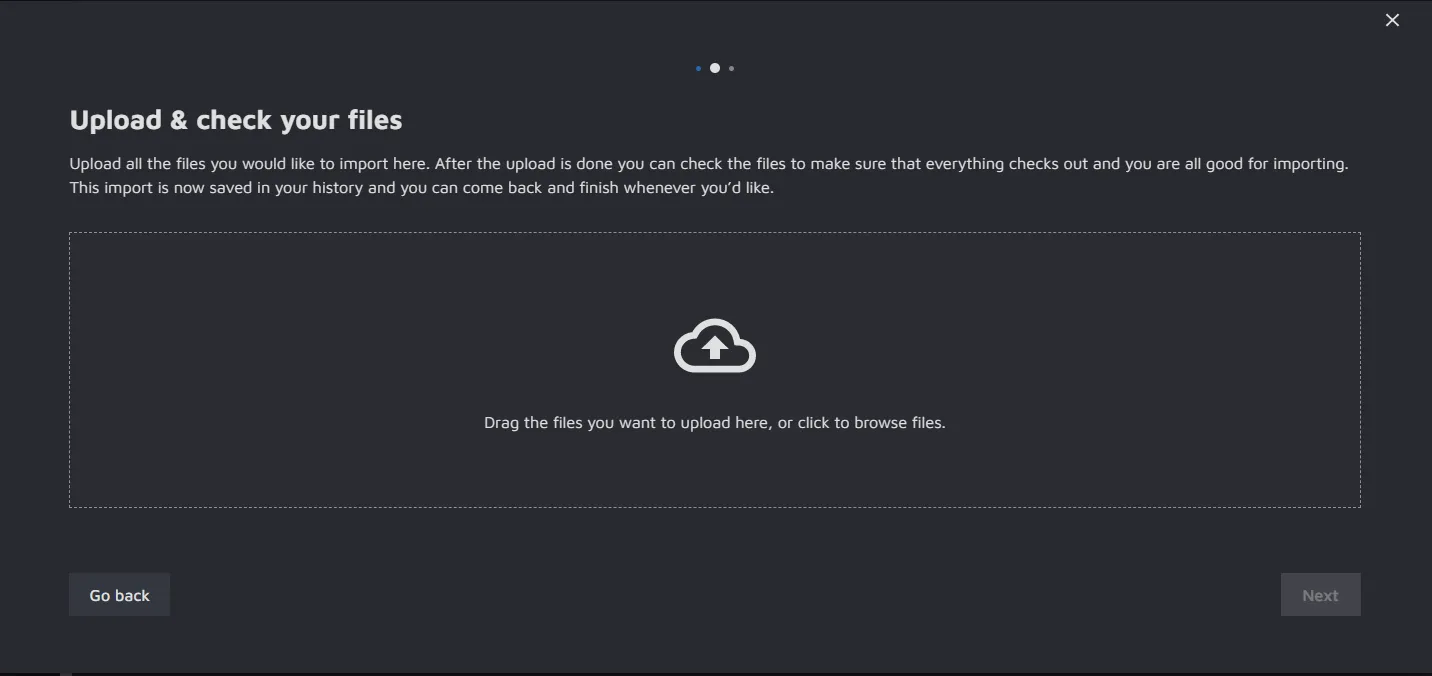
3\. Name your import, and then click on **Next**. Now you can add files for the annotations.
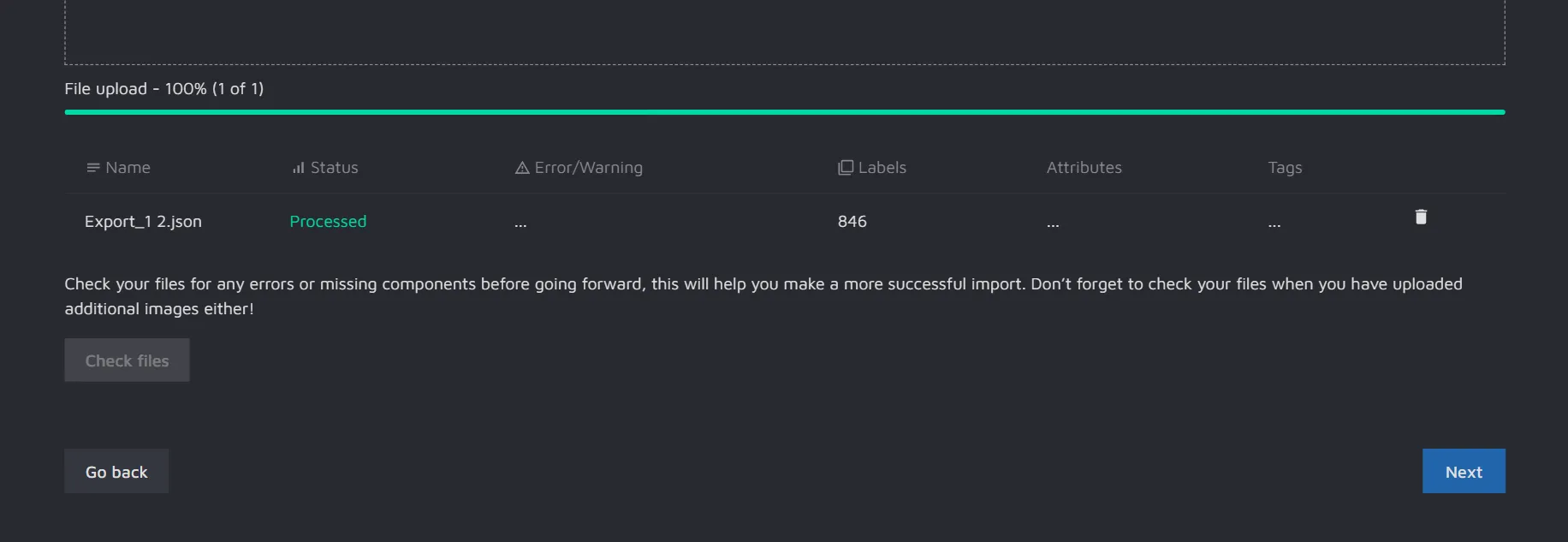
4\. After you upload your files, you can check them for errors in the section below.
If everything looks right, click on **Next** to finalize the import.
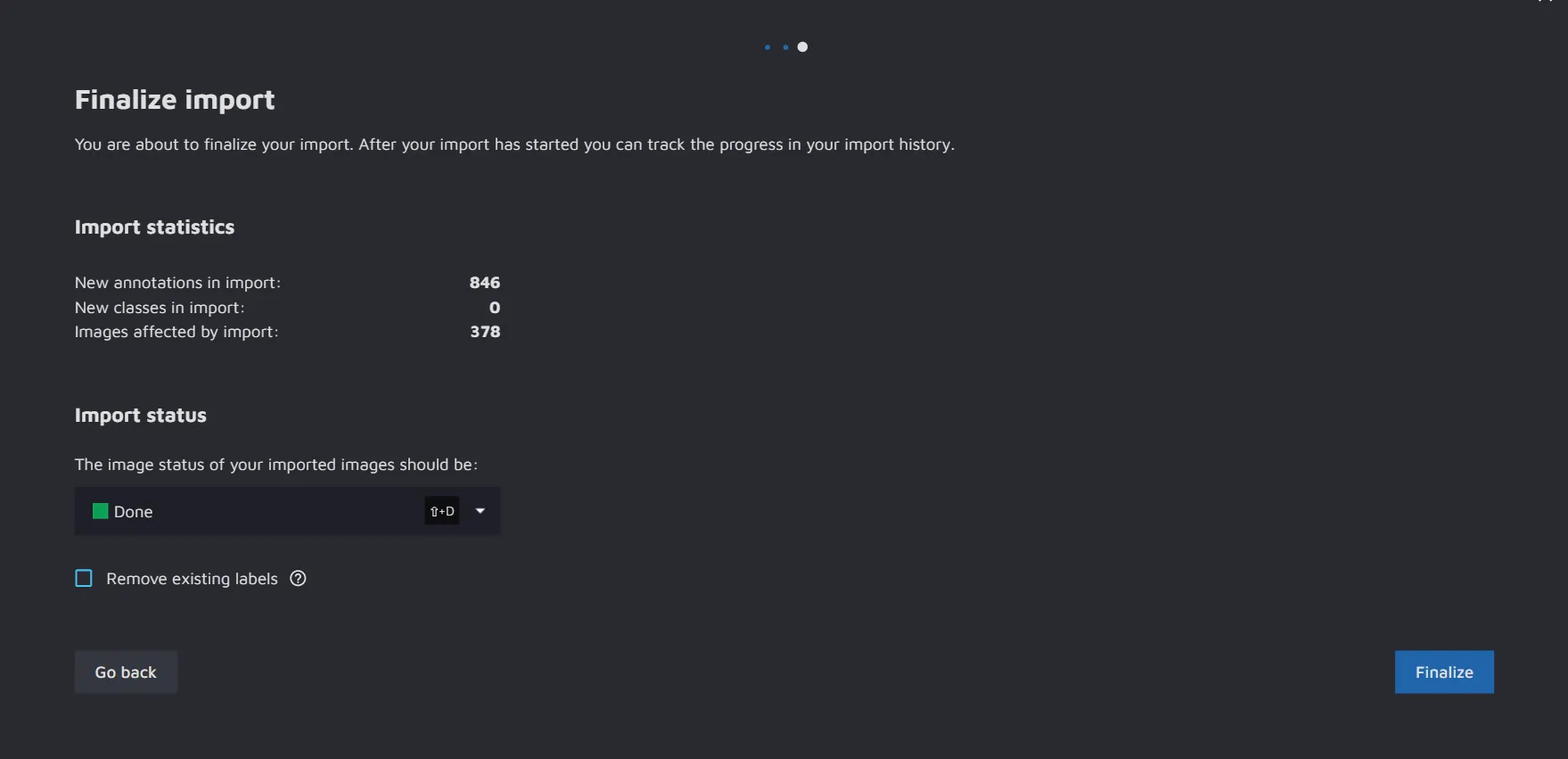
5\. In the final screen, you will see the summary of what you are about to import again. Here, you can specify which **status** the imported images should have. You can also **Remove existing labels** from any image that has annotations added to it.
To start the import, click **Finalize**.
6\. You will now be able to see the progress of the import. Usually, it only takes a minute or two, but if you are importing a lot of data, it might take longer.
{% hint style="info" %}
Please make sure that Hasty supports your annotation file type.
If your annotations are not in the supported formats (Hasty JSON v1.1 or png), please take a look at our [documentation](https://hasty.ai/docs/userdocs/projects/exporting-data#exporting-data) to learn how to export your data in the required format.
*Are we not supporting a format important for you - or is the import failing when parsing, and you need help to figure out why? Please do not hesitate to contact us at* [*support@hasty.ai*](mailto:support@hasty.ai)*.*
{% endhint %}
### How to import annotations to a Hasty project?
Since our **Import annotations** feature is in Beta, Hasty allows you to import labels in a JSON file with a special structure of the Hasty JSON v1.1. It uses a format similar to COCO but builds on top of it to add some complexity. So, to avoid potential errors when uploading your annotations, please follow these simple steps:
1. [Create](about:/docs/userdocs/projects/creating-and-editing-a-project#creating-and-editing-a-project) your Hasty project and [upload](about:/docs/userdocs/projects/creating-and-editing-a-project/upload-images#upload-images) all the necessary files to it;
2. [Create](about:/docs/userdocs/projects/creating-and-editing-a-project/classes-and-attributes#classes-and-attributes) the **label classes and attributes** you will use in your project;
3. Download the project to your local machine using the [Export data](about:/docs/userdocs/projects/exporting-data#exporting-data) feature. When choosing the export format, please select **Hasty JSON v1.1**. As a result, you will get a **JSON** file that will already contain all the necessary information about your project, images, label classes, and attributes;
4. Add your annotations to the **JSON** file. Please check out simple [examples and the annotations' import types](about:/docs/userdocs/import-formats/supported-import-types#supported-import-types) supported by Hasty;
5. Upload the **JSON** file to your project through the **Import Annotations (Beta)** feature.
Awesome, you’ve nailed it!
---
# Agent Instructions: Querying This Documentation
If you need additional information that is not directly available in this page, you can query the documentation dynamically by asking a question.
Perform an HTTP GET request on the current page URL with the `ask` query parameter:
```
GET https://docs.cloudfactory.com/import-formats/import-annotations-beta.md?ask=
```
The question should be specific, self-contained, and written in natural language.
The response will contain a direct answer to the question and relevant excerpts and sources from the documentation.
Use this mechanism when the answer is not explicitly present in the current page, you need clarification or additional context, or you want to retrieve related documentation sections.