# How to export a project
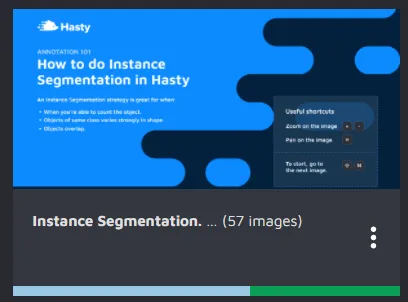
To export a project first click on the three dots that appear on the project card.
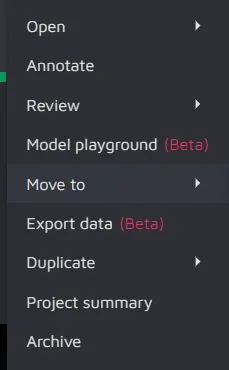
Then, the following menu will appear.
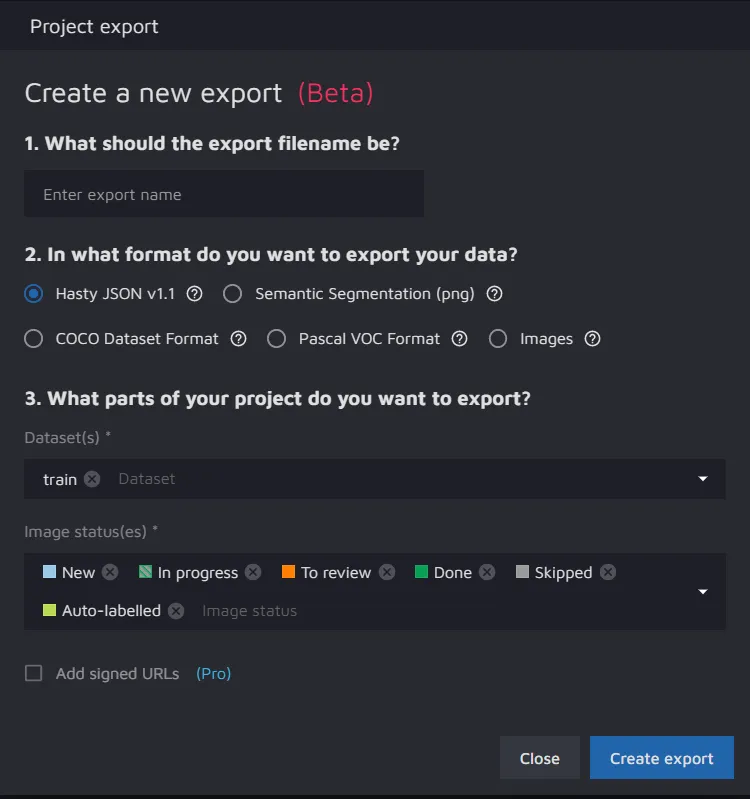
Click on export data. This will prompt a dialogue box where you can select the format of the export and the parts of the project to export.
After selecting everything, just click on "Create Export" to export the project.
{% hint style="info" %}
Please note that the export report will contain all the necessary information linking annotations to users that made them.
{% endhint %}
---
# Agent Instructions: Querying This Documentation
If you need additional information that is not directly available in this page, you can query the documentation dynamically by asking a question.
Perform an HTTP GET request on the current page URL with the `ask` query parameter:
```
GET https://docs.cloudfactory.com/export-formats/how-to-export-a-project.md?ask=
```
The question should be specific, self-contained, and written in natural language.
The response will contain a direct answer to the question and relevant excerpts and sources from the documentation.
Use this mechanism when the answer is not explicitly present in the current page, you need clarification or additional context, or you want to retrieve related documentation sections.