# Merging polygons/masks into one annotation

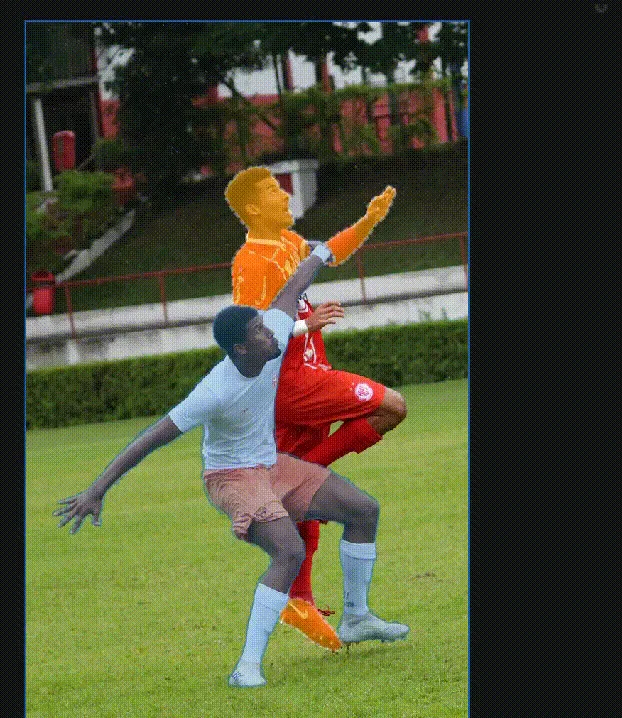
When you annotate an object with obfuscation like here:

<figure><img src="https://wiki.cloudfactory.com/media/pages/docs/userdocs/annotation-environment/manual-and-semi-automated-tools/merging-polygons-masks-into-one-annotation/55a47e75bd-1684131916/screen-shot-2021-06-16-at-5.33.14-pm.webp" alt=""><figcaption><p>Here we have a player behind an other player that was annotated using 5 separate polygons</p></figcaption></figure>

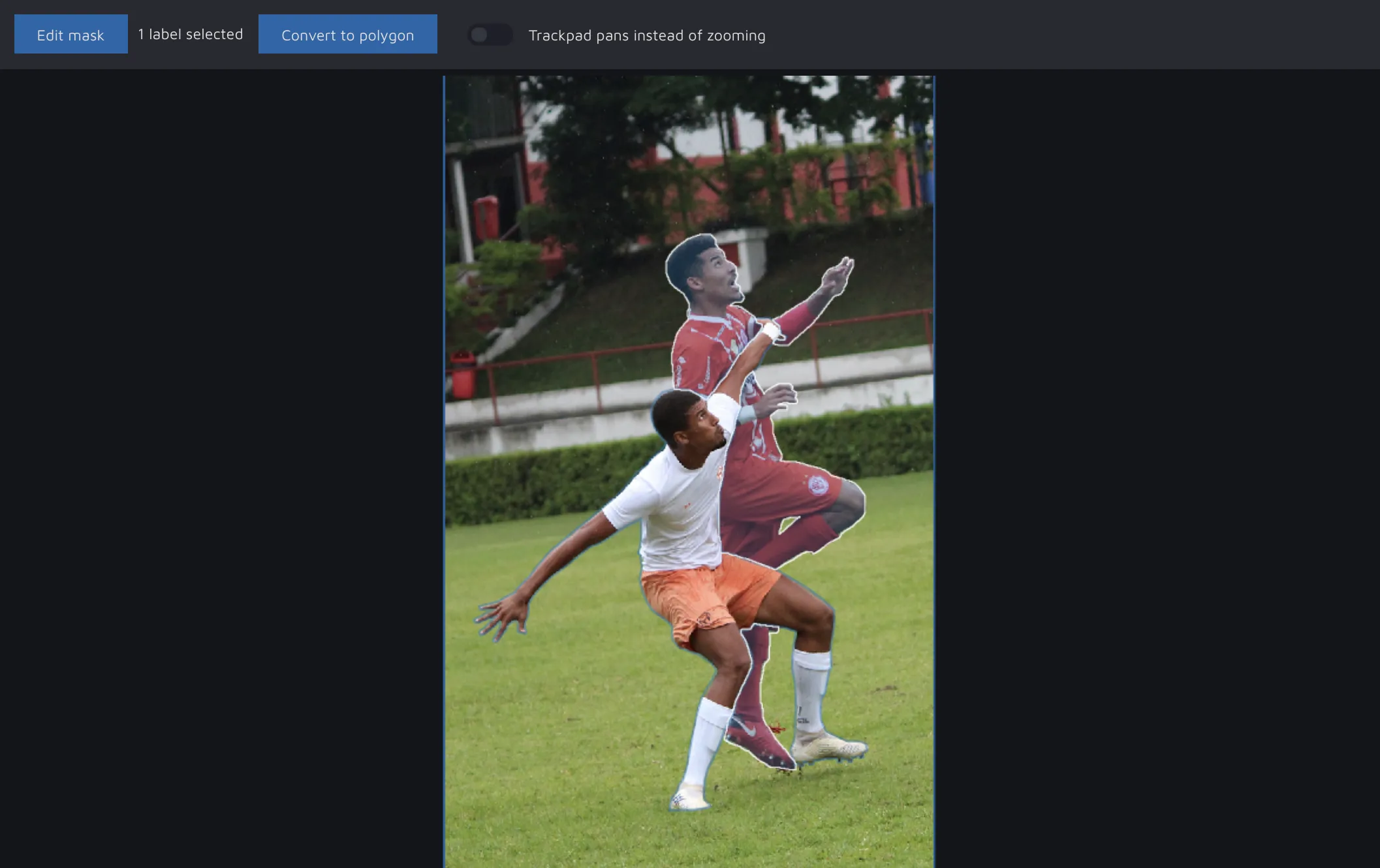
Sometimes you create partial masks or polygons as something in front is "breaking up" the annotation in the background. However, this is less-than-optimal for machine learning networks as it causes confusion. To that, you can either create the background annotation as one uniform annotation using the brush like this:

<figure><img src="https://wiki.cloudfactory.com/media/pages/docs/userdocs/annotation-environment/manual-and-semi-automated-tools/merging-polygons-masks-into-one-annotation/1b990318fa-1684131916/7137b25783fd69413610c0c0f9d69fe136e1ecd3.webp" alt=""><figcaption></figcaption></figure>

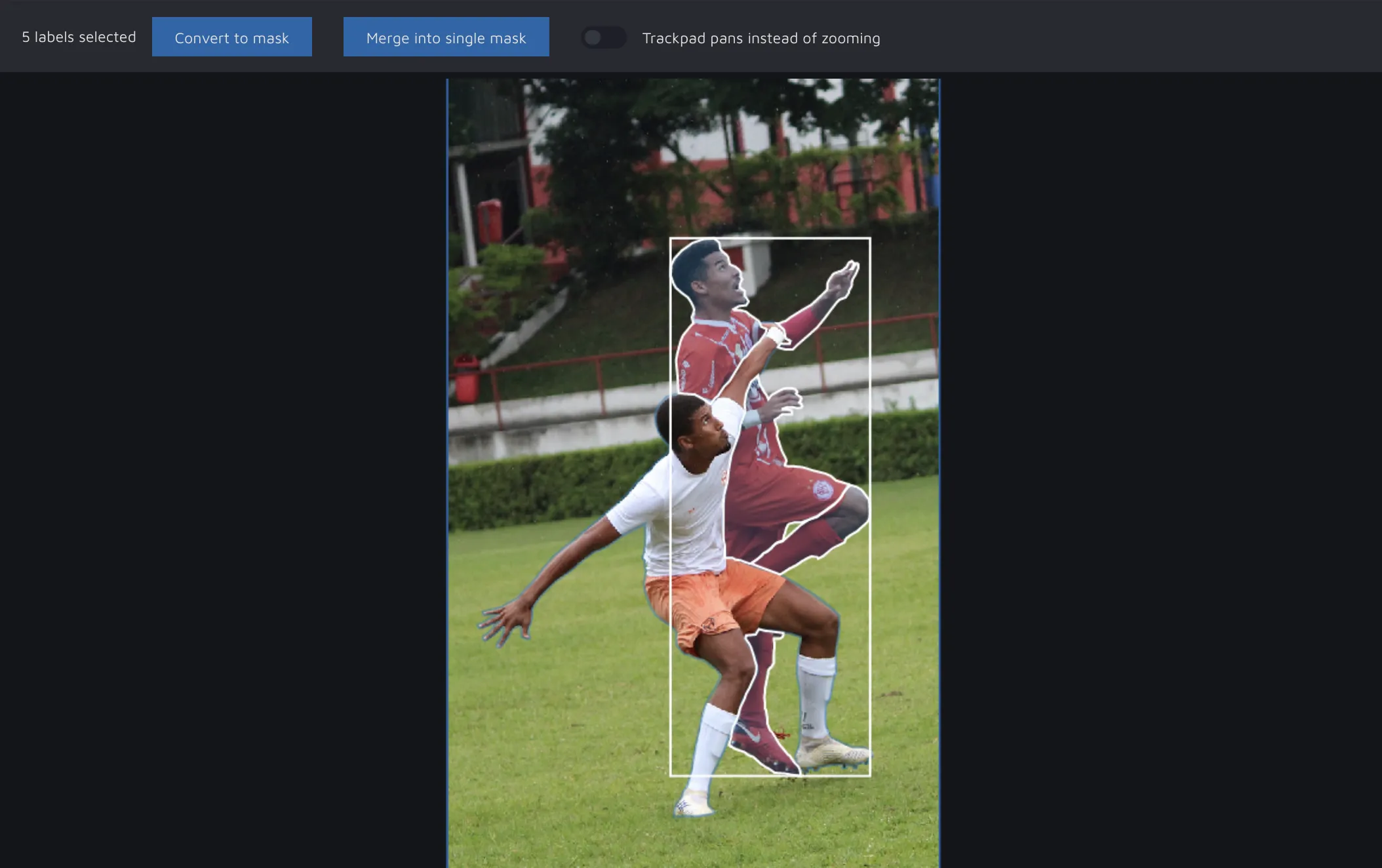
Or you can merge separate masks or polygons into one shape by first selecting all of them, and then click "Merge into single mask" (at the top in the annotation view).

The final result will be a uniform mask (if you selected multiple polygons, we will convert them to one mask annotation, as polygons should never be used to annotate multiple regions) like here:

<figure><img src="https://wiki.cloudfactory.com/media/pages/docs/userdocs/annotation-environment/manual-and-semi-automated-tools/merging-polygons-masks-into-one-annotation/7483063484-1684131918/screen-shot-2021-06-16-at-5.34.45-pm.webp" alt=""><figcaption><p>Here we merged our 5 polygons into 1 mask. Better for AI - easier to QA - a win for everyone</p></figcaption></figure>


---

# Agent Instructions: Querying This Documentation

If you need additional information that is not directly available in this page, you can query the documentation dynamically by asking a question.

Perform an HTTP GET request on the current page URL with the `ask` query parameter:

```
GET https://docs.cloudfactory.com/annotation-environment/introduction-to-the-annotation-environment/manual-and-semi-automated-tools/merging-polygons-masks-into-one-annotation.md?ask=<question>
```

The question should be specific, self-contained, and written in natural language.
The response will contain a direct answer to the question and relevant excerpts and sources from the documentation.

Use this mechanism when the answer is not explicitly present in the current page, you need clarification or additional context, or you want to retrieve related documentation sections.